Return to something you said.
Browse by day or search using whatever you remember, whether it was a title, summary, mood, or theme.
- Go back to a day
- See when you reflected and open a particular day.
- Search what you remember
- Look across titles, summaries, moods, and themes.
- See the full picture
- Revisit the reflection, its source session, and supporting moments.
Notice what changes over time.
Choose the dates you want to look back on. Hoglet brings together the moods, emotional tones, and topics from the reflections in that timeframe.
- Choose how far back to look
- Review a recent week, month, or dates you choose.
- Explore what came up
- Open a mood, tone, or topic to see the reflections behind it.
- Compare with earlier days
- See the selected dates alongside the ones immediately before them.
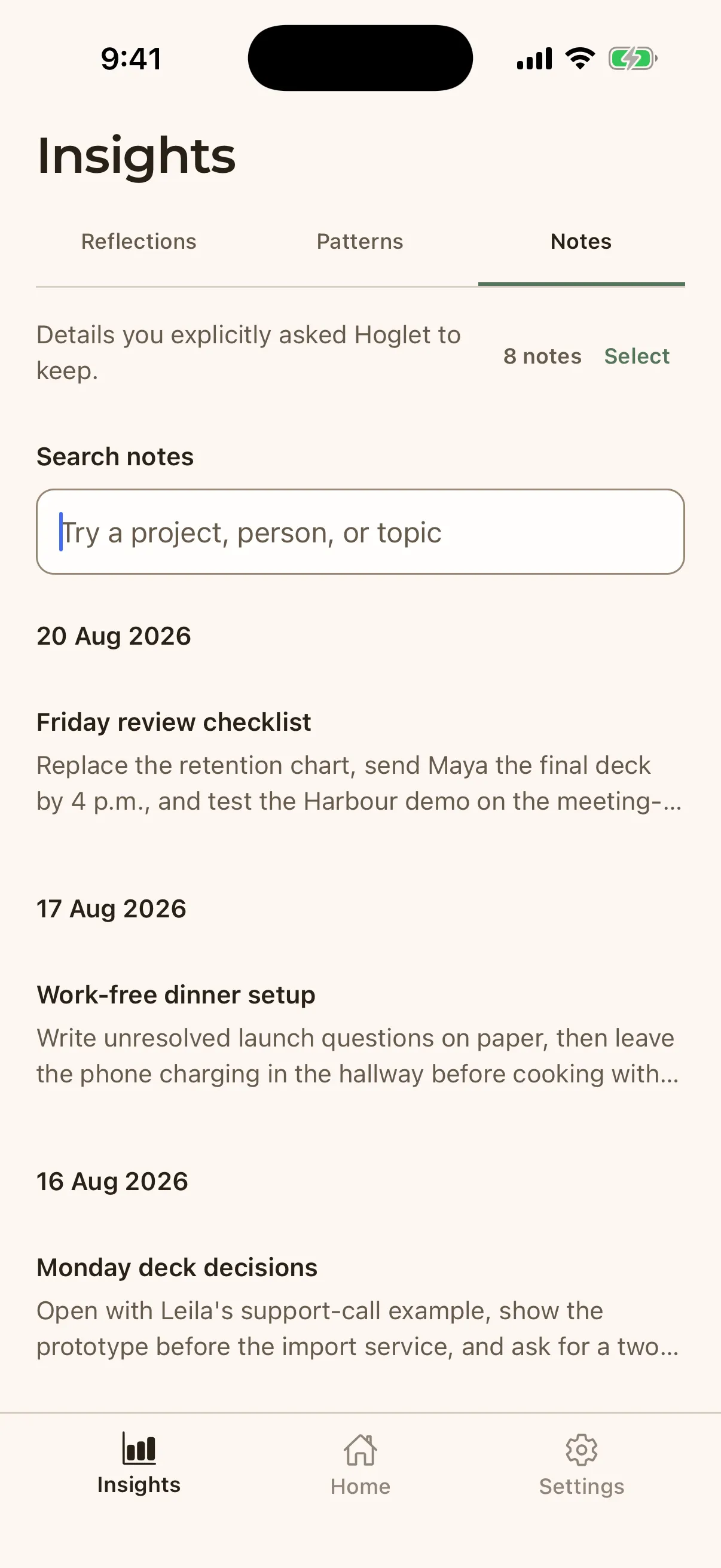
Keep the details you want to come back to.
When something is worth saving, ask Hoglet to keep it as a Reflection Note. Your notes remain available to browse, search, or update later.
- Save it while you talk
- Ask Hoglet to keep a useful detail from your conversation.
- Find or update it later
- Browse your notes, search by project, person, or topic, and edit anything that changes.
- Return to the conversation
- Open the reflection that gave the note its context.
See where each reflection begins.
Follow the experience from a voice conversation to a finished reflection and the record that grows from it.